Archive for the ‘Technology’ Category

Parents Shouldn’t Be in Denial Over This Very Real Addiction

November 28, 2012

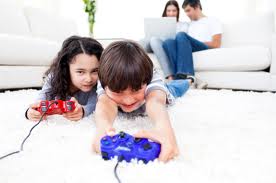
As addictions go, internet addiction is relatively new. Since we all love to spend time surfing the net and we see it as a natural and normal form of relaxation many ignore what is becoming a very serious problem. Children are spending far too long in front of a screen, often skipping meals, becoming sleep deprived and sometimes even defecating in their pants in order to avoid missing precious minutes of a peer-to-peer game or social chat session.

ONE in five Aussie kids spend so much time surfing the internet that they miss out on meals and sleep, a study shows.

Edith Cowan University researchers have revealed that “excessive internet use” is twice as common in Australian children as British kids.

A fifth of the Australian children surveyed said they had “gone without eating or sleeping because of the internet”.

More than half confessed they waste so much time online that they “have spent less time than I should have” with family, friends or doing homework.

Sixty per cent said they had caught themselves surfing when they were “not really interested”.

And half “felt bothered” when they could not get online.

Internet obsession appears to peak at the age of 13 to 14, the study shows, as children start high school and use the internet more for homework and social networking with friends.

Click on the link to read Video Game Addiction is Real and Very Serious!

Click on the link to read Internet Addiction and our Children

Click on the link to read Issues Relating to Kids and Video Games

Click on the link to read Are you Addicted to the Internet?

I am Destined to be Replaced by a Computer

September 27, 2012


If I am to be replaced by a computer I have the following requests to make of my replacement:

1. The computer must have a sense of humour: My students love to laugh. The computer should never take himself too seriously.

2. The computer must be tough on bullying: Bullying can destroy a child’s school life. The computer must crack down on that.

3, The computer must be patient: It is very important to remain calm and supportive without giving up on the students.

4. The students must be caring and command respect from the students: We have all had heartless teachers. They don’t work.

5. The computer must be aware of any self-esteem issues that may arise in the classroom: The computer must be perceptive.


As my days as a teacher seems to be numbered, I hope my replacement manages to stay true to my list:

Teachers will likely be replaced by humanised computers so advanced they can read and consciously respond to students’ voices, faces and interests within decades, Apple co-founder Steve Wozniak says.

The once-shy electronics whiz kid who formed the computing juggernaut with Steve Jobs in 1976 says the exponential growth of modern technology has changed his long-held belief that computers could never achieve humanoid intelligence.

“I just said no, that’s ridiculous, the brain works in totally different ways … it’s just not going to happen. Now I’ve come around, and I see that yes, it is going to happen,” Wozniak told a packed Melbourne Convention Centre on Wednesday.


Click on the link to read 50 Ways To Use Skype In Your Classroom

Click on the link to read Top 10 Educational i-Pad Apps

Click on the link to read Top 10 Math Apps for Children

Click on the link to read The Pros and Cons of iPads in the Classroom

“Take my iPhone and be Quiet!”

August 20, 2012

Interesting research has shown that households where the television and computers are in regular use don’t communicate effectively:

Jane Beale, a speech pathologist on the NSW central coast, said previous work focusing on television usage in the US had shown that, in households where TV usage was minimal, about 6000 words per day were spoken by the home’s occupants. That compared with the 500 words spoken in homes where TVs were on for most or all of the day.

“More and more now we have got not only TV and video games, but we have iPhones and iPads, and we have parents spending time on iPhones and iPads rather than engaging directly face-to-face . . . with their child,” Ms Beale said. “Because these devices are so tantalising to children, they are spending long periods of time with these devices if their parents don’t regulate that.”

Other speech pathologists agreed that, while there was as yet no evidence that devices were causing language delays, there was a developing suspicion that a link did exist.

Adelaide speech pathologist Debbie James said she “took a more cautious view” because of the limited evidence, but said there was “pretty clear evidence there’s about 20 per cent of children that have delayed speech and language skills”, compared with other children of the same age.

Her research had found a “strong association between the frequency with which parents speak with their children when they were nine months old, and the child’s language skills two years later”.

Click on the link to read The Top 50 Best Apps for Children

Click on the link to read Smartboards Must Become More than Just Classroom Decoration

Click on the link to read There is Still Some Love for the Forgotten Class Whiteboard

The Top 50 Best Apps for Children

August 5, 2012

Courtesy of The Guardian comes 50 of the best smartphone/iPad apps for children. Below is a snippet:

EDUCATION

Farm 123 app logo

FARM 123 – STORYTOYS JR iPhone/iPad – £1.49. Farm 123 aims to be a digital version of pop-up books, based on a character called Farmer Jo and his animals. It’s aimed at pre-school-age children, teaching them to count from one to 10 with cows, pigs and eggs.

Funimal Phonics app logo

FUNIMAL PHONICS iPhone/iPad – £0.69. Children and parents are well-used to phonics alphabet-learning now, and this stylish flash-cards app gives the discipline a friendly animal face. It’s also notable for its inclusion of both US and UK English accents when speaking sounds.

Little Digits app logo

LITTLE DIGITS iPad – £1.49. This marvellous numbers app gets your child to count by placing fingers on the iPad’s touchscreen, with cute cartoon numbers appearing, depending on how many fingers are pressed. Simple maths tasks give it an educational angle too.

My A-Z app logo

MY A-Z iPhone/iPad – £1.49. There are lots of alphabetical flash-card apps for iPhone, but this one stands out for its personalisation. Children can add their own photos and sounds for letters – a picture of their dog and its bark for “D”, and so on.

Numberlys app logo

NUMBERLYS iPhone/iPad – £3.99. Despite the name, this beautiful app is more about letters than numbers. It’s a mixture of games and storytelling to explain the origins of the alphabet, with a visual style influenced by films like Metropolis and the original King Kong.

Times Tables: Squeebles Multiplication

TIMES TABLES: SQUEEBLES MULTIPLICATION iPhone/iPad/Android – £0.69. This UK-developed app is aimed at 5- to 11-year-olds, providing a series of multiplication questions to earn stars and rescue cutesy characters from a nefarious Maths Monster. Up to four children can save their progress on one device.

The Singing Alphabet app logo

THE SINGING ALPHABET iPhone/iPad – £0.69. A stylish app that does what it says on the tin: letters that sing. Specifically, they sing their own phonetic sounds, and can be combined to make harmonies and tunes. Given five minutes, your child will be singing along too.

Counting with the Very Hungry Caterpillar app logo

COUNTING WITH THE VERY HUNGRY CATERPILLAR iPhone/iPad – £1.99. Eric Carle’s famous book about a fruit-munching caterpillar has been turned into a fun educational game with a mathematical skew. Your child identifies, counts and adds the foods over five levels, ensuring it appeals to a range of ages.

Around the Clock app logo

AROUND THE CLOCK iPhone/iPad – £1.49. This time-focused app wears its educational spurs lightly. It’s a collection of 24 mini-games, one for each hour of the day, from toothbrushing to pancake making. The idea is to familiarise children with the clock.

Barefoot World Atlas app logo

BAREFOOT WORLD ATLAS iPad – £2.99. If you have a child who is just becoming interested in geography, this is an essential buy. It’s a digital globe with music and animation, drawing kids in to the meat of its text and photographic entries on countries, people and nature.

Change4Life Fun Generator app logo

CHANGE4LIFE FUN GENERATOR iPhone/iPad/Android – Free. Part of a wider Department of Health initiative to get families out and about, this app suggests more than 100 activities for children, filtering them by indoors/outdoors and the number of participants. A summer-holiday lifesaver for parents.

Cooper's Pack: London Children's Travel Guide app logo

COOPER’S PACK: LONDON CHILDREN’S TRAVEL GUIDE iPhone/iPad – £1.49. For parents taking their children to London as a tourist, what better guide than a stuffed dog named Cooper? This travel app is a story-based guide to London’s history and attractions, with plenty of interactivity to keep children reading.

Famigo Sandbox app logo

FAMIGO SANDBOX Android – Free. If you’re handing over an Android device to a child, Famigo Sandbox is invaluable. It filters the apps on your phone to only show those suitable for children, locks off other features, and recommends new apps they might like.

Move the Turtle app logo

MOVE THE TURTLE iPhone/iPad – £1.99. Can five-year-olds start learning to program? They can with this app, which aims to teach the basics of computer programming by planning tasks – all presented by a friendly turtle character to spark their imagination.

The Happy Face app logo

THE HAPPY FACE iPhone/iPad – £0.69. Most parents have used a reward chart for their children at some point. This turns the idea into an app for use while out and about, moving children’s photos onto a happy or sad face according to their behaviour.

Your Fantastic Elastic Brain app logo

YOUR FANTASTIC ELASTIC BRAIN iPad – £1.99. Aimed at five-year-olds and up, this is a book app all about brains, using illustration and animation to explain some complex science, while throwing in “brain workout” games to help children stretch their grey cells.

Click on the link to read all 50.


Click on the link to read Top 10 Educational i-Pad Apps

Click on the link to read Smartboards Must Become More than Just Classroom Decoration

Click on the link to read There is Still Some Love for the Forgotten Class Whiteboard

New Tablet Being Designed Specifically for the Classroom

July 24, 2012

I hope this new innovation proves inexpensive enough for public school students to enjoy as well:

NEWS Corp says it will launch a new tablet computer with AT&T aimed at the education market to bring “digital innovation” to US classrooms.

The media conglomerate headed by Rupert Murdoch says the effort will come from its education division, which is being renamed Amplify.

“Amplify is dedicated to reimagining K-12 (elementary and secondary) education by creating digital products and services that empower students, teachers and parents in new ways,” the company said in a statement.

“It is our aim to amplify the power of digital innovation to transform teaching and learning and to help schools deliver fundamentally better experiences and results,” said Joel Klein, chief executive of Amplify.

“Amplify will introduce new products in a thoughtful way, so that technology can finally live up to its promise to advance learning and augment teaching for students, teachers and parents everywhere.”

Ralph de la Vega, president and CEO of AT&T Mobility, said the effort would include “a 4G mobile tablet-based experience that we believe will significantly enhance teaching and learning for grades K-12”.

Click on the link to read Top 10 Educational i-Pad Apps

Click on the link to read Smartboards Must Become More than Just Classroom Decoration

Click on the link to read There is Still Some Love for the Forgotten Class Whiteboard

Top 10 Educational iPad Apps

July 17, 2012

An impressive lineup of education apps as selected by gameclassroom.com:

1. BrainPOP Featured Movie, FREE
Made with the iPad in mind, this app delivers fresh, animated movies every day on topics including earth awareness, financial literacy and more. Kids take interactive quizzes to show what they know.

2. SUPER WHY!, $2.99
Rhyme, spell, write and read with PBS characters Alpha Pig, Princess Presto, Wonder Red, and yes, Super Why for an entirely entertaining educational experience. Kids won’t even realize they’re learning.

3. Dr. Seuss’s ABC and The Cat in the Hat, $2.99 each
What happens when you combine classic children’s books with cutting-edge technology? Storytelling magic! USA Today, Huffington Post and mommy bloggers count themselves among iPad/Seuss fans.

4. ABC Phonics Animals Free Lite, FREE
A group of parents created these talking and spelling flashcards. On the iPad, ye olde arte of learning becomes animated, interactive, lively and fun.

5. Star Walk, $2.99
This guide to the night sky shines brightly among iPad’s constellation of educational apps. It’s a window into more than 9,000 stars, planets, constellations and other celestial bodies.

6. RedFish, FREE ($9.99 upgrade for all 50 activities)
Teaching kids ages 3-7 to count, read, spell and even compose music has never been quite as much fun as it is on the iPad. What would Beethoven have done with an app such as this?

7. 123 Color HD Talking Coloring Book, $0.99
Fans of this iPhone app will want to check out the iPad version, with all-new high-resolution drawings that are five times larger than the originals.

8. World Book – This Day in History, $0.99
Thanks to the encyclopedia giant’s interactive calendar that includes pictures, sounds, music and features, history may not seem so ancient to kids.

9. iLiveMath Animals of Africa, $1.99
Stampeding toward an iPad near you, this app combines math with zoology for a hair-raising learning experience (which is currently being enhanced for Apple’s latest and greatest).

10. History: Maps of the World, FREE
Travel back in time with historical maps of all kinds. High-resolution maps on the iPad just might be the next best thing to being there.

Click here to read about The Meteoric Rise of the Educational App.

If You Can’t Beat Them, App Them

July 15, 2012

Fantastic story of a father who was so concerned about his son being bullied at school that he created an app to help his son and others deal with the problem:

A SYDNEY dad whose son was bullied at school has fought back by creating an iPad app in order to help other children dealing with the same problem.

The first program of its kind, The Dandelion Project has been taken on by Apple and it will be rolled out globally in August.

Galvin Scott Davis, 40, from Marrickville, came up with the concept for the story when his son Carter, now eight, was being bullied at school.

Created as a book series as well as an app, he used a dandelion because it grows in most countries and is associated with the idea if you blow on it you can make a wish.

He said: “Some kids aren’t really in a position to counteract bullying. The story was created to make something which would get him to talk to me about it.”

The child in the story, Benjamin Brewster, can’t physically counteract the bullies so he uses his imagination.”

On the app, children can blow on the dandelion and see it scatter, while making a wish.

The project will also include the topics of cyber bullying, female bullying, and look at the story of the bullies themselves.

Luke Enrose, who worked on the Harry Potter films and Charlotte’s Web, also took part in the project.

Click here to read my post, ‘The Meteoric Rise of the Educational App’.
Click here to read my post, ‘The Benefits of Educational Apps’.

The Toy for Children Who Can’t Keep Their Hands off Your iPhone

July 9, 2012

It’s very hard for parents to find time with their iPhones and iPads because children have a habit of getting to them first.

It was only a matter of time before manufacturers invented a toy that will give your children yet another reason to run off with your phone:

Any parent knows that irrespective of what engaging and exciting toys you buy for your children, they will always be more interested in your mobile phone or tablet computer. It’s an inescapable fact of modern day parenting. With this in mind, toy firm Little Tikes has revealed a range of iPhone-friendly toys which can connect with your iOS devices.

The iTikes toys iOS devices toys include a keyboard, map, microscope and an art canvas, all of which can be used as stand-alone toys. But it’s when you add an iPhone, iPad or iPod Touch running a free iTikes app, that the fun really begins and the toys gain additional (and considerably more high-tech) functionality.

I’m still waiting for the iCanMakeMyBed, iWillShareMyToys and the future bestseller iWillDoMyHomeworkWithoutComplaint.

Top 10 Ways Children Hide Their Online Activity From Parents

July 2, 2012

It’s important to be aware of what your children do online. To achieve this one must also be aware of the “tricks” they pull in order to hide their activity.

A recent survey entitled, Teen Internet Behavior study released last week by McAfee, the online-security tech company, found that children are really good at covering their tracks.

The following are the top 10 ways children hide online behaviour from their parents:

-Clearing the browser history (53 percent)

-Closing/minimizing browser when a parent is around (46 percent)

-Hiding or deleting messages and videos (34 percent)

-Lying about online activities (23 percent)

-Using a computer parents don’t check (23 percent)

-Using an Internet-enabled mobile device (21 percent)

-Using privacy settings to make certain content viewable only by friends (20 percent)

-Using a browser’s private viewing mode (20 percent)

-Creating private email address unknown to parents (15 percent)

-Creating duplicate/fake social network profiles (9 percent)

You’ve Heard of Road Rage. Now there’s PlayStation Rage!

July 2, 2012

Reality has become so blurred for some that the expression, “It’s only a game” clearly no longer apples.

To read that grown men are turning violent over video games is outrageous and disgusting:

Young men are getting so caught up in gaming consoles they are lashing out at children, sometimes with deadly consequences.

A New Zealand paediatrician says all too often she treats children who have been struck by a male caregiver because they interrupted a game.

Mikara Reti was just five months old when he was hit so hard he died and his liver was almost split in two.

Trent Hapuku, 23, was found guilty of manslaughter. He was sentenced this month at the High Court in Napier, New Zealand to nine years in prison.

Hapuku had been left alone with his partner’s child in a Flaxmere sleepout in January last year. Prosecution lawyers argued Hapuku was intent on beating his high score in a PlayStation game called Scarface.

When the toddler interrupted the game, Hapuku struck him so hard he died from his injuries. But rather than rushing the child to hospital, Hapuku continued playing. When Mikara’s mother returned she found her partner playing PlayStation and holding Mikara over his left shoulder.

But just wait a minute! This is an isolated case, right? I’m afraid not:

Dr Eleanor Carmichael, from Waikato Hospital, said she frequently sees cases where a young man has abused a child because a game was disturbed. “You sit down, take a bit of P, start your PlayStation game, the baby starts to cry, you’re in a hurry to pick it up and settle it down before you lose your place.”

Shame! Shame! Shame!

Click here to find out if you are addicted to the internet or here to read about kids and technology addiction.