Posts Tagged ‘iPads in the classroom’

Where iPads Fall Short in a Child’s Education

December 2, 2013


scrab

We hear a great deal about the benefits of iPads in the classroom, but not often do we get to hear about some of the negative effects:

Toddlers these days are barely out of nappies before they are playing with touch-screen toys and fiddling with iPads.

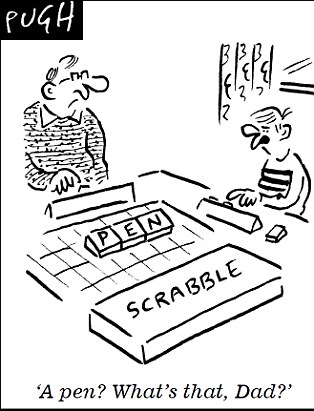
And now, it seems, they are paying the price – because when they arrive at nursery they are apparently struggling to pick up basic fine-motor skills such as holding pencils, pens and crayons.

Some nurseries have installed interactive ‘smartboards’, digital cameras and touch-screen computers to try to expose children to gadgets at an early age.

One of the learning goals in the revised Early Years Foundation Stage (EYFS) is that ‘children recognise that a range of technology is used in places such as homes and school’.

Under a section on Understanding the World, youngsters must also find out about and ‘identify the uses of everyday technology and use information and communication technology (ICT) and programmable toys to support their learning’.

Some nurseries have prioritised ICT as a result and ploughed resources into improving their facilities.

Jeff Stanford from Asquith Day Nurseries – which has invested £4million in digital technology – defended the move, saying: ‘It makes children comfortable and familiar with the technology and that is extremely useful when they start school.’

But literacy expert Sue Palmer said: ‘I think what children really need up to the age of seven is real life in real space and real time, which means three-dimensional experiences.

‘We already have problems with children not being able to hold a pen or pencil.

And Felicity Marrian, from Iverna Gardens Montessori in London, said: ‘If our children are in fact the most sedentary generation ever, according to the medical authorities, and already spend more time watching television than they do in school, do we really need to add computers and other screen-based devices to the nursery environment?’

A survey of 806 parents and early years staff carried out by website daynurseries.co.uk found that only 26 per cent believed that being exposed to technology actually benefits children in nurseries.

Davina Ludlow, director of daynurseries.co.uk, added: ‘Children are increasingly exposed to an overwhelming amount of technology at an early age.

‘The use of iPads in nurseries, which are displacing the traditional methods of learning and playing activities is concerning.

‘This poll shows that the majority of people clearly want to see early education and childhood play protected from this technological creep.’

Ms Palmer who is also the author of Toxic Childhood added:‘I think what children really need up to the age of seven is real life in real space and real time, which means three dimensional experiences.


Click on the link to read 5 Great Spelling Apps for Tablets and Smartphones

Click on the link to read Are Educators Being Conned by the i-Pad?

Click on the link to read The Best Phonics Apps for iPads

Click on the link to read Should Teachers be able to Text Students?

Click on the link to read 50 Ways To Use Skype In Your Classroom

Click on the link to read Top 10 Educational i-Pad Apps

Are Educators Being Conned by the i-Pad?

July 29, 2013

new age

There is no doubt that the i-Pad is a handy tool to have in the classroom.  But is it really essential? Essential to the point that if schools don’t supply them they are doing a disservice to their students?

It is my opinion that i-Pads are merely icing on the cake. Without a great teacher and a dynamic and engaging curriculum the i-Pad is just a costly tool with negligible impact. My fear of recent reports spruiking i-Pads in the classroom is that the education system may be being conned by a cleverly constructed marketing campaign and that teachers might make the i-Pad the focus of their lessons rather than a complimentary resource.

Remember the pressure on schools to fit every classroom with an interactive whiteboard? What did that ultimately do to student performance and their digital nous? Arguably not very much. Many teachers still struggle to use their SmartBoards effectively, with some using it for not much more than a big screen to play movies off.

There is no doubt that i-pads can be a valuable tool for teachers, but are schools and parents that can’t afford them doing a disservice to their children?

Children risk falling behind other pupils at school because of a ‘digital divide’ caused by parents having to invest in tablet computers.

The devices, such as iPads, are increasingly considered an essential part of education by headteachers.

But the cost – typically several hundred pounds – means parents already struggling with tight family budgets have to rent or buy them in monthly instalments.

Those that are unable to afford them at all face the problem of their children missing out on the benefits of technology.

Headteachers are keen on the devices as they believe they can save money on equipment such as books and are a convenient way of researching or storing work.

Earlier this month a survey revealed free education was a myth as parents typically spend tens of thousands of pounds putting their children through the state system.

This includes £130 on technology for every child each year – and the sum is likely to keep rising.


Click on the link to read The Best Phonics Apps for iPads

Click on the link to read Should Teachers be able to Text Students?

Click on the link to read 50 Ways To Use Skype In Your Classroom

Click on the link to read Top 10 Educational i-Pad Apps

Click on the link to read Top 10 Math Apps for Children

Click on the link to read The Pros and Cons of iPads in the Classroom

The Best Phonics Apps for iPads

April 15, 2013

The apps, courtesy of readingrockets.org, assist with reading, writing and spelling.

Interactive Alphabet

Interactive Alphabet icon

Price: $2.99
Grade Level: Pre-K-2nd
Device: iPad, iPhone, iPod Touch

Interactive Alphabet offers alphabet matching for babies, toddlers, and preschoolers. Your child can hear words, letters and phonics sounds. This app also includes a “Baby Mode.” It auto advances every 15 seconds. This interactive game also teaches upper and lower case letters.

iSpy Phonics

iSpy Phonics iconPrice: $1.99
Device: iPad, iPhone, iPod Touch

Match phonic sounds with letters, through colorful illustrations, pictures and accurate pronunciation, while playing the age old game of I Spy. It provides a fun and highly interactive way to help children learn to recognize letters and their phonic sounds. iSpy Phonics allows children to match phonic sounds with letters, through illustrations, pictures, and accurate pronunciation while playing the game of I Spy.

ABC Expedition

ABC Expedition iconPrice: $2.99
Device: iPad only

ABC Expedition is an app designed to help children with their alphabet. However, this app not only helps kids with their alphabet; it also helps children learn various animals too. This is promised to be a fun app for both parents and kids.

Alphabytes

Alphabytes iconPrice: $1.99
Device: iPad only

Alphabytes is an educational app that helps kids learn their letters, the sounds letters make, how to write both upper and lower case letters, and how to spell a few words. The game has four sections: Alphabet, Trace, Spell, and Play. Trace teaches kids how to print both upper and lower case letters. The play section of the app has a memory game where kids match letters with the picture of an item that begins with that letter.

Simplex Spelling with Reverse Phonics: Lite

Simplex Spelling Lite iconPrice: Free
Grade Level: Pre-K-and Up
Device: iPad, iPhone, iPod Touch

Simplex Spelling Lite is designed to improve spelling and reading skills in a fun and interactive way by using “reverse phonics.” Simplex Spelling Lite contains over 50 high frequency English words; it also enables students to build on each word, which goes above and beyond the sheer memorization of words. Simplex Spelling Lite enhances understanding in a variety of students as it appeals to audio, visual and tactile learners. It is a great tool to have for kids learning to spell, remedial students, or those learning English as a second language.

Word Wizard: Talking Movable Alphabet & Spelling Test for Kids

Word Wizard iconPrice: $2.99
Device: iPad, iPhone, iPod Touch

Word Wizard is the first educational app that utilizes natural sounding text-to-speech voices to help kids learn word building and spelling. Movable Alphabet help kids hear the text they wrote, as well as verify spelling using the built-in spell checker. This app has the ability to turn whatever words kids create — even words that do not exist — into spoken words. This app also consists of the most frequently used words, body parts, and family members — just to name a few.

Word Wagon by Duck Duck Moose

Word Wagon iconPrice: $1.99
Grade Level: Pre-K and Up
Device: iPad, iPhone, iPod Touch

Word Wagon helps kids learn about letters, phonics, and spelling with Word Wagon. Parents and kids can set it to one of four progressively harder levels: letters, phonics, and spelling of short and long words and also to display either upper- or lowercase letters. In the first two levels, kids can match the letters to form the words; in the latter two levels, there is no visual cue, and kids have to arrange the spelling of the word on their own. There is also a nice variety of word topics such as animals and food to choose from. The level of customization makes Word Wagon a good fit for kids at different skill levels.

FirstWords Deluxe

FirstWords Deluxe iconPrice: $4.99
Grade Level: Pre-K and Up
Device: iPad, iPhone, iPod Touch

FirstWords Deluxe helps kids learn to spell words in five categories with FirstWords Deluxe: Animals, At Home, Colors, Shapes, and Vehicles. Parents can add more categories with in-app purchases. Touching the picture reveals the name of the object. As kids drag and drop letters into boxes to spell the object featured, they can practice sounding out letters with the phonics feature or hear the actual letter names as they’re placed — or go all out and turn off the sound. Kids get good spelling practice while working on listening skills and building their vocabulary.


Click on the link to read Should Teachers be able to Text Students?

Click on the link to read 50 Ways To Use Skype In Your Classroom

Click on the link to read Top 10 Educational i-Pad Apps

Click on the link to read Top 10 Math Apps for Children

Click on the link to read The Pros and Cons of iPads in the Classroom