Posts Tagged ‘Internet’
March 22, 2012

I’ve inherited a class that does not have a whiteboard. Well actually it does, but it is covered up by a Smart Board. It seems that my school was so excited to install brand new Smart Boards (interactive whiteboards) that they set it up directly on the existing board. They were so keen to set up the Smart Boards it didn’t even occur to them to take down the whiteboards first!
As much as I love my Smart Board, I find it much easier to write and present maths problems on a traditional whiteboard.
So I got my school to order one for me. Last December ….
And it only arrived today!
Meanwhile, my Smart Board died two weeks ago. The projector just decided it couldn’t facilitate any longer (I hope it didn’t have anything to do with my ghastly interactive whiteboard handwriting). A teacher without a whiteboard is like a carpenter without a drill. It is a huge challenge to teach without a board. A challenge that has proved frustrating and in a sense, quite revealing.
It has taught me that no matter how incredible modern technology has become. No matter how much education has been transformed because of touch screens, blogs, the internet, YouTube, Wikipedia etc. Nothing can replace the simple whiteboard!
Tags:Blogs, Education, interactive whiteboards, Internet, Smart Board, Teachers, Teaching, technology, Technology in the Classroom, touch screen, whiteboard, Wikipedia, YouTube
Posted in Technology, Technology in the Classroom | 4 Comments »
February 24, 2012

Geek Squad have come up with some common sense tips for concerned parents. These tips are a good starting point for helping your children keep safe online:
Filtering Software: Install filtering software such as NetNanny or the free Windows Live Family Safety 2011. These programs can help your kids surf the Internet safely – without being exposed to any inappropriate material. You can also consider setting up free filtering at the wireless router level with OpenDNS, which will ensure that all devices that connect to your home Internet are filtered.
Maximize Current Programs: Many computers already come with online safety programs. Learn how to accurately use Parental Controls in Windows and Mac Operating Systems, and other programs that aid in monitoring and managing what children view online. Maximize the use of programs you already have installed and at your fingertips.
LOL Does Not Mean ‘Learn Online Lingo’: But you should: Among the many networking sites are Facebook and Twitter. Learn how these sites work and the coded language commonly associated with them. We can consider citing this study that says teens are increasingly using Twitter because parents have figured out Facebook, so they think they’ll have more freedom where their parents aren’t.
Gaming Parental Controls: Many games have online modes, where your kids can play against others around the globe. It’s important to know who your kids are playing with and what content they can access. Set parental controls on games to protect your kids without affecting their gaming experience.
Control Your Kids’ Online Environment: Windows Vista features parental controls that help parents monitor what kids can access on a computer – even when they’re not in the room or at home. Parents can select what games, programs and websites children can access. Time restrictions can even be set to ensure that the kids are following the rules even when mom and dad are not home. This feature is found in the Parental Controls panel and is part of the User Accounts and Family Safety Control Panel applet.
Tags:Computers, Cyber Safety, Education, facebook, Filtering Software, Gaming Parental Controls, Geek Squad, Internet, Mac Operating Systems, NetNanny, OpenDNS, Parental Controls, Parenting, Twitter, Windows, Windows Live Family Safety 2011, Windows Vista
Posted in Cyber Safety, Parenting | 1 Comment »
February 19, 2012

The problem with the wonderfully diverse technologies available to teachers is that it can sometimes breed lazy teaching. A SmartBoard doesn’t make a teacher. The challenge for teachers is not to rely on the technologies at hand, but to simply use them in conjunction with a well-developed lesson.
When reports show that computers don’t make a difference to learning, I wonder if they are really saying that teachers haven’t learned to capitalise from them yet:
Kids love using computers and gadgets in the classroom but the technology has not made them better learners, suggests a new report.
The non-profit Media Awareness Network interviewed a small sample of plugged-in elementary and high school teachers from across Canada and found there’s work to be done to better incorporate technology into schools.
The report suggests many students aren’t really as good at using the Internet as it may seem. While it’s assumed today’s kids are quick to learn how to use computers, the authors found many students are great at social media or finding something to watch on YouTube but their digital skills end there.
Teachers reported that some of their kids had a hard time effectively using search engines like Google and weren’t able to consistently sort out valuable sources from the clutter on the web.
“Digital literacy is not about technical proficiency but about developing the critical thinking skills that are central to lifelong learning and citizenship,” the report states.
The finding wasn’t particularly surprising, said Matthew Johnson, director of education for the Media Awareness Network.
“It’s something we’ve seen before but this really underlined it. I always like to draw a distinction between literacy and fluency,” he explained.
“When we watch a young person sit down on the computer and open a dozen different screens and do a dozen different things at once, we’re really seeing (digital) fluency — the same fluency that lets a 10-year-old talk a mile a minute. But it doesn’t necessarily show genuine literacy, it doesn’t show they understand what they’re doing, it doesn’t even show necessarily that they’re skilled at what they’re doing.”

Tags:citizenship, Computers, critical thinking, Education, Google, Internet, Matthew Johnson, Media Awareness Network, Smartboards, technology, Technology in the Classroom
Posted in Technology, Technology in the Classroom | 6 Comments »
February 10, 2012

Upon hearing about the disgusting cyberbullying of a young rape victim I became very upset. I hope these perpetrators get charged for their insensitive and heartless behaviour.
Not only has this poor girl had to deal with the worst form of torture, but she has had to endure this awful campaign as well:
After being attacked and going to the police, she was then branded ‘a lying little skank’ and worse on internet sites.
She was told her home would be burnt down unless she withdrew her evidence. The sustained threats of violence meant that she had to be accompanied everywhere by her mother, even going to and from school.
Her rapist was jailed this week, so at least some justice has been served, which might bring a little comfort.
Yet isn’t it appalling that her physical ordeal was followed by a form of mental terrorism lasting months, with the police all but powerless to stop it, even though what happened amounted to nothing less than intimidation of both witnesses and victim before a court case?
The schoolgirl’s torment began in January 2011, when she was raped in an alleyway near Clitheroe Football Club. She was found by a dog walker naked from the waist down and covered in mud.
Her parents, who had been trying to locate her, had called the girl on her mobile and heard some of the attack, including their daughter screaming: ‘Stop it’. They, too, were quickly on the scene.
And as a side note, guess what the rapist received for his cowardly crime?
This week, he was jailed for 31 months.
Pathetic!
Tags:Cher Lloyd, Clitheroe, Crime, Cyber Bullying, facebook, Internet, News, Rape, social media, Teenager, YouTube
Posted in Cyber Bullying | Leave a Comment »
February 5, 2012

I agree with Adam Turner. Cybersafety is something parents need to address. They have the primary duty to ensure that their children are following safe online practices.
As far as I’m concerned cybersafety is primarily a parent’s responsibility, just like teaching about stranger danger or how to cross the road safely. The fundamentals of cybersafety are no different to the real world; don’t wander off, don’t talk to strangers, don’t reveal too much about yourself and call a parent if you’re unsure of something.
Some parents might complain that it’s all too complicated, but it’s not if you take an interest in your children’s activities and take the time to learn the basics. Talk to them about computers and the internet. Ask them what they’re learning at school and what they’re doing at home. Take an interest, just as you should in their other activities.
Turner suggests ways in which parents can better supervise their children:
A common cybersafety rule is that the computer stays in the living area, positioned in such a way that anyone who walks into the room can see what’s on the screen. If notebooks are permitted in the bedrooms for studying, perhaps it’s on the condition that they recharge on the kitchen bench at night. The same rule can apply for mobile phones, which can also help combat cyberbullying.
You can split cybersafety into two key areas. The first is protecting young children from accidentally stumbling across inappropriate content. This isn’t hard if you can set up a list of appropriate bookmarks and trust your kids not to wander. Installing an ad and pop-up blocker offers an extra layer of protection. If children can’t be trusted not to wander, even by accident, you might consider a whitelist plug-in for your browser, which lets you limit access to a specific list of sites.
The second area of cybersafety is hindering older children who are deliberately seeking inappropriate content. This area is much harder to deal with, as smart and determined kids will find a workaround to just about any security measure (remember, help is only a Google search away).
There’s a big market for desktop filtering software, but don’t walk away and trust it to do a parent’s job. In my experience it tends to cripple your computer, but your mileage may vary. If you do want to restrict internet access, look at services that are independent of your end device – particularly useful if your house contains a variety of internet-enabled gadgets.
It’s worth investigating the filtering options built into wireless routers. Some let you create blacklist and whitelists, or switch off the internet at specific times. You could even run a separate wireless network for the children, making it easier to control their access without affecting your own. Another filtering option is DNS-level services such as OpenDNS.
Whilst teachers should also take an interest in cybersafety issues, it’s up to the parents to take the lead.
Tags:Children, Computers, Cyber Safety, Cyberbullying, Cybersafety, Desktop Filtering Software, DNS, Education, Family, Internet, kids, life, Mobile Phones, OpenDNS, Parenting, Parents, Plug-ins, Protection, Whitelist
Posted in Cyber Safety, Parenting | 2 Comments »
February 4, 2012
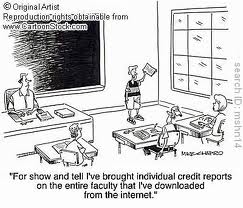
There is a current obsession with technology in the classroom. Even so, I would have thought that it was only sensible to bring as much technology as possible into the classroom. After all, we are trying to help children develop life skills. In today’s world technology is all around us. It is integral that our students have a familiarity if not competency with the latest in technology.
Something sounded familiar last week when I heard U.S. Education Secretary Arne Duncan and FCC Chairman Julius Genachowski make a huge pitch for infusing digital technology into America’s classrooms.
Every schoolchild should have a laptop, they said. Because in the near future, textbooks will be a thing of the past.
Where had I heard that before? So I did a bit of research, and found it. The quote I recalled was, “Books will soon be obsolete in the schools…. Our school system will be completely changed in 10 years.”
the nirvana sketched out by Duncan and Genachowski at last week’s Digital Learning Day town hall was erected upon a sizable foundation of commercially processed claptrap. Not only did Genachowski in his prepared remarks give a special shout out to Apple and the iPad, but the event’s roster of co-sponsors included Google, Comcast, AT&T, Inteland other companies hoping to see their investments in Internet or educational technologies pay off.
How much genuine value is there in fancy educational electronics? Listen to what the experts say.
“The media you use make no difference at all to learning,” says Richard E. Clark, director of the Center for Cognitive Technology at USC. “Not one dang bit. And the evidence has been around for more than 50 years.”
Almost every generation has been subjected in its formative years to some “groundbreaking” pedagogical technology. In the ’60s and ’70s, “instructional TV was going to revolutionize everything,” recalls Thomas C. Reeves, an instructional technology expert at the University of Georgia. “But the notion that a good teacher would be just as effective on videotape is not the case.”
Many would-be educational innovators treat technology as an end-all and be-all, making no effort to figure out how to integrate it into the classroom. “Computers, in and of themselves, do very little to aid learning,” Gavriel Salomon of the University of Haifa and David Perkins of Harvard observed in 1996. Placing them in the classroom “does not automatically inspire teachers to rethink their teaching or students to adopt new modes of learning.”
I am a bit in the middle on this issue. I am in favour of all types of technology in the classroom, just not as a replacement for standard teaching. Those schools that are dominated by devises, lose out from the benefits of teacher/student interaction. But that is not to say that i-Pads in the classroom wont make any difference. It just means that those i-Pads are not more important to education than a quality teacher.
Tags:Apple, Arne Duncan, Center for Cognitive Technology, David Perkins, Digital Learning Day, Education, FCC, Gavriel Salomon, Google, i-Pads, Internet, Julius Genachowski, laptops, Michael Hiltzik, Richard E. Clark, technology, Technology in the Classroom, Thomas C. Reeves, University of Haifa
Posted in Technology, Technology in the Classroom | 5 Comments »
January 25, 2012

It sickens me to read about teachers misusing their privileges and being accused of engaging in inappropriate dealings with students. Similarly, it upsets me no end that these horrendous people end up making life even harder for well-meaning, caring and decent teachers.
Male teachers will be completely aware with what I am saying. It is hard to be a male teacher (especially Primary teacher) in an age where there are daily stories doing the rounds about teacher sexual abuse. We have to be careful to the point of obsession. Whilst female teachers wouldn’t hesitate to talk to a student alone behind closed doors, a male teacher cannot afford to. Whilst female teachers cuddle and get kids to sit on their laps without the slightest of hesitation, male teachers wouldn’t even extend their hand for a handshake. I am not trying to complain about this. In fact, I am a big advocate of these rules. It’s the fear of being falsely implicated that makes it a struggle.
And it’s not just male teachers who are effected by these evil people. They have also taken technology like social media, which I hear has incredible benefits as an educational tool, and prevented good, hard-working teachers from freely using it to assist their students.
One in 10 misconduct cases from schools involved teachers using social networking sites like Facebook to start inappropriate relationships with their pupils, it was reported.
n 43 of the 336 cases referred to the General Teaching Council for England last year for “unacceptable professional conduct”, teachers had used online forums, emails and websites like Facebook and Twitter to contact children.
The figures also revealed a wide variation in school policy over social networking websites with some banning teachers from having accounts while others allow staff to be “friends” with pupils.
The GTC registrar, Paul Heathcote, told the Guardian: “Often the use of social media by teachers can be positive and make a valuable contribution to a teacher’s practice, to pupils or to the school.
“Only if the use of social media by a teacher is relevant and serious enough to potentially affect a teacher’s registration is it likely to progress to a hearing.”
I would argue that it has become too risky to use Facebook as an educational tool between teacher and student. And we know exactly who to blame for that.
Tags:Beal high school, Benedict Garrett, Education, facebook, General Teaching Council for England, Internet, Karl Hopwood, Lee Butcher, life, Male Teachers, misconduct, Parenting, Paul Heathcote, social media, technology, Twitter
Posted in Male Teachers, Social Media | 2 Comments »
January 15, 2012

I am a big believer in free speech. I consider myself very lucky to be in a country where my thoughts and feelings can be expressed freely without recriminations. But like all other laws and freedoms there are boundaries. I might have free speech, but I am also restricted by sensible limitations to what I can say.
When students use social media to call their Principals names like a “big fag”, “whore”, “hairy sex addict” and “pervert”, and the consequence for their actions is nothing more than a suspension, I think they should count themselves very lucky. To then sue on the grounds of freedom of speech and win says a lot about the judicial system and the difficulties educators face in earning basic respect.
A middle school principal in northeastern Pennsylvania was shocked to see his photo online along with a description of him as a “hairy sex addict” and a “pervert” who liked “hitting on students” in his office.
A high school principal north of Pittsburgh saw a MySpace profile of himself that called him a “big fag,” a “whore” and a drug user. And in West Virginia, a school principal found out that a girl had created an online site to maliciously mock another girl as a “slut” with herpes.
All three students were suspended from school and filed suits against the principal and the school districts. They argued the 1st Amendment protected them from being punished for postings from their home computers. And in the two Pennsylvania cases, they won.
Whilst these awful slurs may technically be classified as “free speech”, verbal bullying of any kind can also be defended under the guise of free speech. Is this what we want? People supported by the courts to demoralise, slur and denigrate others? How are principals supposed to tackle bullying when they can’t even deal with bullies who are attacking them?
The exploitation of free speech will see bullying, especially cyber bullying, continue to gain momentum. These students should never have been suspended. They should have been expelled!
Tags:1st Amendment, American Civil Liberties Union, Bullying, Cyber Bullying, David L. Hudson, Education, facebook, Hermitage School District, Internet, James McGonigle, Kara Kowalski, Law, life, middle school, MySpace, Pennsylvania, Pittsburgh, principal, social media, U.S. Supreme Court
Posted in Bullying, Cyber Bullying | 3 Comments »
December 14, 2011

Two weeks I wrote about one of the most underrated learning tools in modern education. I call YouTube underrated because not only is it not given enough credit for being a valuable resource but it is blocked in many schools.
I wrote:
YouTube is the modern-day instructive tool. It clearly and carefully teaches people practical skills in language they can understand. It plays the part of teacher.
At the moment I am teaching my 5th Graders about finding the lowest common denominator before adding and subtracting fractions. As a test, before writing this blog post, I typed some key words into a YouTube search and came up with many fine online tutorials on this very skill that kids can readily access. It shouldn’t replace the teacher, but it can certainly help a child pick up a concept.
In the space of 2 weeks YouTube has announced that it will introduce its YouTube for Schools, allowing students to access the site without being exposed to inappropriate material:
After making some changes on its home page UI, Youtube now plans to foray into education. To help the cause of spreading education, Youtube plans to unveil a new tool for teachers as well as students.
Youtube for schools is a new idea to introduce collaborative education as head of Youtube Angela Lin says,” This is a technical solution to allow schools that normally restrict access to YouTube to gain access to it.”
Youtube’s official blog post also suggested that teachers have been looking up to leveraging the Youtube platform to access a huge database of knowledge in form of educational videos. But the bone in the throat was those other videos related to entertainment would distract students. This was the main reason behind schools restricting Youtube videos. However, the educational value of Youtube videos in visually interactive learning was much wider in horizon. Thus, Youtube introduced a new platform for learning.
This is a great coup for students and teachers. Well done YouTube!
Tags:Angela Lin, Education, Internet, Learning, Research, Schools, Teachers, Technology in the Classroom, videos, YouTube, YouTube for Schools
Posted in Technology in the Classroom | Leave a Comment »
December 12, 2011

I was once strongly opposed to homework, but I have since softened my approach. It’s not that I believe homework is a good thing, it’s just that I have observed what children do withn the extra time and I can’t say it’s productive. Quite apart from playing in the backyard or walking the dog, kids are more likely to spend their waking hours on the computer or watching television.
Whilst experts believe abolishing homework will free up time for healthy activities, the truth is that it will only result in more time in front of a screen.
CHILDREN are spending too much time “sitting around”, looking at screens and doing homework, when they should be outside playing.
New Deakin University research suggests parents should encourage children to play the old-fashioned way outside with mates rather than nagging them to complete homework or allowing them to watch TV or use computers, the Geelong Advertiser reports.
Associate head of research at Deakin’s School of Exercise and Nutrition Sciences, Professor Jo Salmon, yesterday said pushing kids outdoors to play would help improve the health and happiness of children.
Parents needed to set rules around the amount of screen time children were allowed every day, and enforce a limit of two hours in total, Professor Salmon said.
They should also try not to place too much academic pressure on their kids and recognise that playing outside and being active was probably better for children than sitting inside practising spelling or sums.
While previous generations of children would come home from school, have a quick snack and then head straight outside to play until dinner time, most children now came home from school and propped on the couch, their bed or at a desk, she said.
Recently named one Australia’s top child health researchers by the National Health and Medical Research Council, Professor Salmon said while she was an optimist by nature, she was concerned for the future health of Australian children.
I was once an optimist too. I hoped that instead of homework, my students could help wash dishes or take on some other household duties. I hoped they could go to the library and borrow books. But that is not what happens in reality.
So I am now faced with a choice. Do I prescribe homework that serves as revision for skills taught during the week in class or do I just let them use the extra time for more television and video games?
Tags:Children, Computer, Deakin University, Geelong Advertiser, Health, Homework, Internet, life, National Health and Medical Research Council, Parenting, Parents, Professor Jo Salmon, School of Exercise and Nutrition Sciences, tv, Video Games
Posted in Homework | 5 Comments »






 Topical Teaching