Posts Tagged ‘Technology in the Classroom’

Tips for Teaching Kids to use Technology Safely

July 31, 2012

Courtesy of The Washington Post are useful tips for helping to educate kids about safe use of technology:

1. Encourage parent leadership, within the PTA, PTO or other parent communities at your school to begin the discussion about safe and responsible online use by students at school and at home.  Gather an advisory group to determine how to get started.  Invite an expert guest speaker to kick things off.  Thankfully, there are many free, reputable resources available to parent communities through organizations such as Common Sense Media and through PTO Today’s Internet Safety Night program (sponsored by my organization, Trend Micro). Make it clear that it is an on-going dialogue versus a one-time event, as technology is constantly changing.

2. Communicate regularly to parent communities about how you are using technology in the classrooms, at each grade level, and how you ensure kids are learning to be savvy online citizens at the same time.  Make it part of open-house and parent-teacher nights.

3. Be clear with parents on how appropriate technology use is enforced through the school’s Code of Conduct and Acceptable Use Policies (AUP), which students (or parents) typically have to review and sign at the beginning of each school year.  Parents should understand what constitutes a transgression of the policy, how it will be handled, and how/if it will be reflected on your child’s school record.  It should also be clear how personal technology can or cannot be used on school grounds.

4. Be creative with ways to help parents and their kids use technology together.  Ultimately, schools and parents should not limit the discussion to being safe and responsible with technology. We want kids to also be successful users of it.  Find ways to use technology with families or encourage them to use it together through school-driven activities, events, fund-raisers, or other projects.  Have families research their genealogy together. Establish a blog contest or raise awareness or funds for a school activity using social media.  Or encourage family engagement in programs like the ‘What’s Your Story?’ campaign (sponsored by companies like Facebook, Trend Micro, Twitter, and Yahoo!) a program specifically designed to get youth, schools, and families talking about matters concerning the safe and responsible use of technology.

5. Recognize the positive use of technology in your schools through a formal or informal but public way.  Parents can be invited to be part of such a program, or at least encourage the right behavior with their kids at home.  Awards or acknowledgement can be given to individual students or groups of students, classrooms, or even families.  You can do this through a yearly or monthly “call out” in the school newsletter, website, or at a live school event.  If possible, showcase the activity that is being acknowledged (If it’s a blog, link to it in your online communications).

Technology can be intimidating to those of us who were introduced to it later in life.  The job of teaching kids how to use it appropriately can feel daunting when often times they seem better at it than we do.  But we cannot sidestep our obligation to make technology a tool our kids use safely and responsibly.

And while we do not have years of documented best practices to help schools and parents through this yet, anything you do today can help.  Thankfully, there are simple, low investment ways to start today.  It just takes a willingness to embrace what is already here, and a little courage to take the first step.

Click on the link to read 10 Best Websites for Teaching ICT

Click on the link to read New Tablet Being Designed Specifically for the Classroom

Click on the link to read Top 10 Educational i-Pad Apps

10 Best Websites for Teaching ICT

July 24, 2012

Author Ian Addison recommends his favourite online tools for getting creative in class:

Photo editing – Tuxpi Photo Editor or BeFunky
These sites allow you to take a simple photograph and then convert it into an artistic masterpiece. They provide tools to edit the photo and reduce blurring or red-eye but can also turn your photograph into a collage or provide additional effects such as speech bubbles or clipart images. The final images can then be downloaded to the computer and printed out or used elsewhere. These sites do provide additional tools for a fee, but the free elements are more than enough for most users.

Making music – Isle of Tune or Sound Nation
Isle of Tune is a site that provides a blank canvas in the form of fields and grass. A road is added to represent the path of the music and beats are added in the form of trees, bushes and houses. Once the car is driven along the road, the music is played. This all sounds much more complicated than it actually is and it is very simple to get a basic tune but using the gallery provides a selection of well-known tunes including the Harry Potter theme tune, YMCA and songs from Bruno Mars. These have been created and saved by other users of the site.

Sound Nation provides hundreds of audio clips that can be combined together to create a larger piece of music. The clips can be trimmed or repeated as necessary. Anyone can be a DJ within a few minutes.

Create a game – Sploder!
This website provides a range of characters, objects and walls that can be dragged on to the playing surface and manipulated to provide an area for the main character to explore. This is a great way to introduce game design with younger children as there isn’t any coding involved but they will need to think about the different elements that will make a good game. This includes creating a high-enough level of challenge to interest the player, but not too high to make the game impossible. This can then be used as a precursor to paid-for software such as 2Do It Yourself or free tools such as Scratch or Kodu.

Design an avatar – Unique by Rasterboy or Clay Yourself
There are lots of sites that give tools for creating a new online character. This could be saved and used as part of a display or it could be used instead of a real photograph when using tools such as email but it is their use in literacy that makes them a bit more creative. Use these sites to create characters for a story. This could be the main character or it could be the enemy, the person who has stolen the diamond. What will they look like? What features will they have? Print out the avatar and then give the children time to use descriptive vocabulary to describe their characters.

For the younger audience The Fungooms or Poisson Rouge
These sites are amazing for one brilliant reason, they give children the chance to explore, investigate and experiment with very little (if any) instruction. Often the activities on these sites require clicking, dragging or a bit of thought and young children love exploring the different games and puzzles available. These include making pop-art, learning French, counting games or playing snakes and ladders. These sites are a little bit mad, but truly beautiful. Oh, and can you go through the window on Poisson Rouge and find all eight of the hidden fruit?

A bit of help – Under Ten Minutes
And lastly, some help guides. This site has been created to aid teachers (and children) when they use different tools. Many of these are free but it also contains videos for tools such as Google Apps, ActivInspire and Movie Maker. The idea being that any tool can be shown in around 10 minutes and this is the perfect length of time to show the videos as part of a staff training session or even in a lesson. Why not point children towards the video before a lesson on Scratch or Sketch-up?

Click on the link to read Are High-Tech Classrooms Just a Lot of Hype?

Click on the link to read The Problem With IT in the Classroom

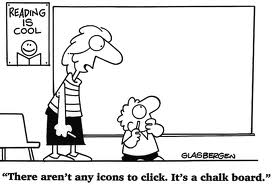
Click on the link to read There is Still Some Love for the Forgotten Class Whiteboard

Top 10 Educational iPad Apps

July 17, 2012

An impressive lineup of education apps as selected by gameclassroom.com:

1. BrainPOP Featured Movie, FREE
Made with the iPad in mind, this app delivers fresh, animated movies every day on topics including earth awareness, financial literacy and more. Kids take interactive quizzes to show what they know.

2. SUPER WHY!, $2.99
Rhyme, spell, write and read with PBS characters Alpha Pig, Princess Presto, Wonder Red, and yes, Super Why for an entirely entertaining educational experience. Kids won’t even realize they’re learning.

3. Dr. Seuss’s ABC and The Cat in the Hat, $2.99 each
What happens when you combine classic children’s books with cutting-edge technology? Storytelling magic! USA Today, Huffington Post and mommy bloggers count themselves among iPad/Seuss fans.

4. ABC Phonics Animals Free Lite, FREE
A group of parents created these talking and spelling flashcards. On the iPad, ye olde arte of learning becomes animated, interactive, lively and fun.

5. Star Walk, $2.99
This guide to the night sky shines brightly among iPad’s constellation of educational apps. It’s a window into more than 9,000 stars, planets, constellations and other celestial bodies.

6. RedFish, FREE ($9.99 upgrade for all 50 activities)
Teaching kids ages 3-7 to count, read, spell and even compose music has never been quite as much fun as it is on the iPad. What would Beethoven have done with an app such as this?

7. 123 Color HD Talking Coloring Book, $0.99
Fans of this iPhone app will want to check out the iPad version, with all-new high-resolution drawings that are five times larger than the originals.

8. World Book – This Day in History, $0.99
Thanks to the encyclopedia giant’s interactive calendar that includes pictures, sounds, music and features, history may not seem so ancient to kids.

9. iLiveMath Animals of Africa, $1.99
Stampeding toward an iPad near you, this app combines math with zoology for a hair-raising learning experience (which is currently being enhanced for Apple’s latest and greatest).

10. History: Maps of the World, FREE
Travel back in time with historical maps of all kinds. High-resolution maps on the iPad just might be the next best thing to being there.

Click here to read about The Meteoric Rise of the Educational App.

Why Our Schools are in Crisis

July 16, 2012

Xavier Symons wrote a compelling examination of our failing education system. He pinpoints three areas where things are going awry:

The first is student-oriented learning. Traditional teaching in which teachers provide a succinct overview of topics is an endangered species. Student orientated, interactive learning has almost completely displaced it.

Certainly, there are benefits: creativity, enthusiasm, research skills. But why not pour a bit of expert knowledge from the well into the bucket? My friends and I loved having a teacher who had just graduated from education school. Student-centred learning for us meant student rule. It was great fun. We just didn’t learn much.

The second problem is the obsession with IT literacy. Students know heaps more than most teachers about IT. X-Box and circumventing internet filters and downloading movies is child’s play for this generation.

IT literacy is like learning to ride a bike: you don’t need school. But essay writing skills? We did need a teacher for that. In the worst cases, students end up pooling ignorance in meandering discussions, and scratching their heads in bewilderment.

As a high school student, I built and produced pictorial essays using film software. Some of my friends made mind maps on smart boards and podcast radio plays. The latest fad is educational games on iPads.

I certainly became IT literate. But it was at the expense of English proficiency and knowledge of history. I had a lot of fun doing a pictorial essay about the Vietnam War – but I I never learned why the French were there in the first place.

While IT literacy is very important in the digital age, the bread and butter of the humanities remains grasping and describing human experience and human history.

The third problem is uniformed teachers. Too many leave uni knowing the bare minimum, and never try to delve deeper. Many of my peers have found that their history teacher knows no more than the textbook. Alarmingly many teachers of English literature don’t actually read. And science teachers may be able to entertain a classroom by emphasising the practical aspects of biology, but students will be seriously underprepared come exams.

I have given my opinion on each of his three points:

Click here to read my opinion of ‘child centered learning’ vs ‘teacher centered learning’.

Click here to read my opinion on the problem with IT in the classroom.

Click here to read my opinion on the standard of teacher training.

If You Can’t Beat Them …

May 1, 2012

When teaching maths, I put a large emphasis in imparting the skills through game play. It is amazing what you can teach with a dice, some counters and a pencil and paper! Kids love games. They love the competitiveness of them and the opportunity to socialise while the game is going on.

That’s why I am not surprised that video games have become more popular as a teaching tool. Up until now, video games have been seen as a distraction. It seems as thoug educators have had a change of heart and decided that if you can’t beat them, then join them.

VIDEO games could replace blackboards as parents and teachers increasingly turn to gaming to teach kids.

Seven of 10 Aussie parents see games as an educational tool, a Digital Australia report says.

The number of parents playing games with their children has risen to more than 78 per cent.

Schools and teachers are embracing games in the classroom, as well.

At Fitzroy North primary, gaming has been built into its curriculum in the past four years, from teaching maths with apps on a tablet to learning about ethics and governance with simulator games such as SimCity 4 and Civilization.

Teacher Kynan Robinson, who heads the school’s computer program and admits his son became interested in reading through Club Penguin, says children even get a chance to develop their own games.

“Gaming is engaging and it’s relevant to what kids are into,” Mr Robinson said.

“It’s much more stimulating than a blackboard and chalk.”

In the next three years the value of Australia’s video games industry is expected to top $2 billion.


Smartboards Must Become More than Just Classroom Decoration

April 24, 2012

As a classroom teacher, I see new parents taking guided tours of our school all the time. Nowadays parents find it particularly important to sign up to a school while their child is still a newborn. This means that schools are becoming inundated with requests from new parents for guided tours.

During these tours parents openly show an appreciation for the Smartboards that adorn the classrooms.

“So there’s a Smartboard in every single classroom?” they ask in amazement.

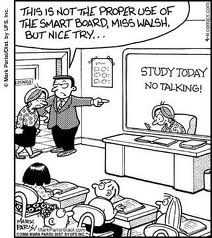
As impressive as Smartboards look, in itself they haven’t revolutionised teaching. The challengef or us is to get the technology to compliment our teaching rather than become the focus. Similarly, it is also essential that this technology doesn’t become a mere piece of decoration that manages to impress parents without actually being used for any real educational benefit:

A disruptive technology is one that radically alters an existing market – the iPod displacing the Walkman, for example, or tablets eating into sales of PCs. In the same way, new technologies have the potential to disrupt the education system, bringing about major changes in the way pupils learn and challenging the way schools and colleges are run.

… everyone seems to agree that, as exciting as new technologies are, they should not be seen as a panacea for all ills, or a short cut to more effective teaching. “We’ve seen a lot of whiteboards go into schools, and that’s good because you can have more interactive things on the screen,” says Mills. “But it doesn’t necessarily shift the paradigm of a teacher talking to kids. If done badly, all that investment can just reinforce a model of teaching that isn’t putting the tools in the hands of children.”

Teachers will need more support and resources to embrace the digital classroom idea. “When people spend so much money on the hardware and software, the advice would be you need to spend at least the same amount of money on staff training and development,” says Doug Belshaw, a researcher at JISC infoNet, which provides resources promoting good practice and innovation within the education sector, and co-kickstarter of the Purpos/ed Community Interest Company. “Otherwise you’re never going to get any effectiveness from it.”

Of course, many teachers already know the obvious: that new technologies have the potential to be a disruptive force of the good kind, breaking down barriers between schools and the wider world, the timetable and more flexible forms of learning, pupil ability and the requirements of the curriculum. They can empower children and better prepare them for life in our fast-paced online world. But we are yet to make the leap from pockets of innovation to a mainstream embrace of the digital classroom within our schools.

There is Still Some Love for the Forgotten Class Whiteboard

March 22, 2012

I’ve inherited a class that does not have a whiteboard. Well actually it does, but it is covered up by a Smart Board. It seems that my school was so excited to install brand new Smart Boards (interactive whiteboards) that they set it up directly on the existing board. They were so keen to set up the Smart Boards it didn’t even occur to them to take down the whiteboards first!

As much as I love my Smart Board, I find it much easier to write and present maths problems on a traditional whiteboard.

So I got my school to order one for me. Last December ….

And it only arrived today!

Meanwhile, my Smart Board died two weeks ago. The projector just decided it couldn’t facilitate any longer (I hope it didn’t have anything to do with my ghastly interactive whiteboard handwriting). A teacher without a whiteboard is like a carpenter without a drill. It is a huge challenge to teach without a board. A challenge that has proved frustrating and in a sense, quite revealing.

It has taught me that no matter how incredible modern technology has become. No matter how much education has been transformed because of touch screens, blogs, the internet, YouTube, Wikipedia etc. Nothing can replace the simple whiteboard!

The Problem With IT in the Classroom

February 19, 2012

The problem with the wonderfully diverse technologies available to teachers is that it can sometimes breed lazy teaching. A SmartBoard doesn’t make a teacher. The challenge for teachers is not to rely on the technologies at hand, but to simply use them in conjunction with a well-developed lesson.

When reports show that computers don’t make a difference to learning, I wonder if they are really saying that teachers haven’t learned to capitalise from them yet:

Kids love using computers and gadgets in the classroom but the technology has not made them better learners, suggests a new report.

The non-profit Media Awareness Network interviewed a small sample of plugged-in elementary and high school teachers from across Canada and found there’s work to be done to better incorporate technology into schools.

The report suggests many students aren’t really as good at using the Internet as it may seem. While it’s assumed today’s kids are quick to learn how to use computers, the authors found many students are great at social media or finding something to watch on YouTube but their digital skills end there.

Teachers reported that some of their kids had a hard time effectively using search engines like Google and weren’t able to consistently sort out valuable sources from the clutter on the web.

“Digital literacy is not about technical proficiency but about developing the critical thinking skills that are central to lifelong learning and citizenship,” the report states.

The finding wasn’t particularly surprising, said Matthew Johnson, director of education for the Media Awareness Network.

“It’s something we’ve seen before but this really underlined it. I always like to draw a distinction between literacy and fluency,” he explained.

“When we watch a young person sit down on the computer and open a dozen different screens and do a dozen different things at once, we’re really seeing (digital) fluency — the same fluency that lets a 10-year-old talk a mile a minute. But it doesn’t necessarily show genuine literacy, it doesn’t show they understand what they’re doing, it doesn’t even show necessarily that they’re skilled at what they’re doing.”

Are High-Tech Classrooms Just a Lot of Hype?

February 4, 2012

There is a current obsession with technology in the classroom. Even so, I would have thought that it was only sensible to bring as much technology as possible into the classroom. After all, we are trying to help children develop life skills. In today’s world technology is all around us. It is integral that our students have a familiarity if not competency with the latest in technology.

Michael Hiltzik of the LA Times disagrees:
Something sounded familiar last week when I heard U.S. Education Secretary Arne Duncan and FCC Chairman Julius Genachowski make a huge pitch for infusing digital technology into America’s classrooms.

Every schoolchild should have a laptop, they said. Because in the near future, textbooks will be a thing of the past.

Where had I heard that before? So I did a bit of research, and found it. The quote I recalled was, “Books will soon be obsolete in the schools…. Our school system will be completely changed in 10 years.”

the nirvana sketched out by Duncan and Genachowski at last week’s Digital Learning Day town hall was erected upon a sizable foundation of commercially processed claptrap. Not only did Genachowski in his prepared remarks give a special shout out to Apple and the iPad, but the event’s roster of co-sponsors included Google, Comcast, AT&T, Inteland other companies hoping to see their investments in Internet or educational technologies pay off.

How much genuine value is there in fancy educational electronics? Listen to what the experts say.

“The media you use make no difference at all to learning,” says Richard E. Clark, director of the Center for Cognitive Technology at USC. “Not one dang bit. And the evidence has been around for more than 50 years.”

Almost every generation has been subjected in its formative years to some “groundbreaking” pedagogical technology. In the ’60s and ’70s, “instructional TV was going to revolutionize everything,” recalls Thomas C. Reeves, an instructional technology expert at the University of Georgia. “But the notion that a good teacher would be just as effective on videotape is not the case.”

Many would-be educational innovators treat technology as an end-all and be-all, making no effort to figure out how to integrate it into the classroom. “Computers, in and of themselves, do very little to aid learning,” Gavriel Salomon of the University of Haifa and David Perkins of Harvard observed in 1996. Placing them in the classroom “does not automatically inspire teachers to rethink their teaching or students to adopt new modes of learning.”

I am a bit in the middle on this issue. I am in favour of all types of technology in the classroom, just not as a replacement for standard teaching. Those schools that are dominated by devises, lose out from the benefits of teacher/student interaction. But that is not to say that i-Pads in the classroom wont make any difference. It just means that those i-Pads are not more important to education than a quality teacher.

The Argument Against the Apple iPad for Education Scheme

January 20, 2012

I completely disagree with James Kendrick’s reasoning for his stance on the iPad for Education scheme. He is of the belief that the program may unravel due to the kids’ rough treatment of the equipment.

Apple wants to make a difference in areas that matter, and education certainly qualifies. Today’s announcement of a new textbook publishing scheme, that provides rich textbook content for grade schoolers using iPads, is a good step toward bringing the education system into the digital age. There is one thing that may get in the way of the Apple goal: kids.

As part of my interest in covering mobile technology, I made friends with several administrators handling these programs at the schools, which included both middle schools and high schools. Listening to the people behind the laptops in grade schools was certainly eye-opening, and lead me to wonder how feasible Apple’s iPads in schools initiative can really be.

What these program administrators discovered was how destructive school kids can be on a regular basis. The stories they told about how thoroughly destroyed many of these laptops were over the course of a school year, in what would be considered top schools, were mind-boggling. Several years of data found that few, if any, laptops survived the entire school year without extensive physical damage through poor handling by the kids. It was so bad that after the first couple of years the budget had to be changed to reflect the inability to use a single laptop in more than one school year.

The fact that the laptops were damaged in “top schools” doesn’t surprise. Students in top schools often take for granted the value of equipment. They assume that broken items are quickly replaceable with little hassle involved. It is my belief that children from poorer families actually take better care of equipment.

And this leads to my second point. One of the major benefits of iPads in the classroom is the expense of text books will be markedly reduced. Whilst the tablets will be quite costly, so too are conventional text books. This program allows schools to offer students from poorer families access to the best online textbooks at a much cheaper rate.

Sure, there will be damage to some i-Pads. That’s to be expected. But it isn’t reason to desist from embracing this program. Children are not unnecessarily destructive. If they are made to realise the expense and significance of what the school is offering they are most likely going to ensure that they look after the equipment.

If you trust kids to do the right thing they will not let you down.